Image Size Templates: Social, Banner, and Open Graph Guide Files
Find reusable image size templates, public source files, and the matching checker for each publishing task. Start with the YouTube banner safe area SVG pack, then route social covers, LinkedIn banners, Open Graph images, and exported template files to the right validation page.
Template canvas
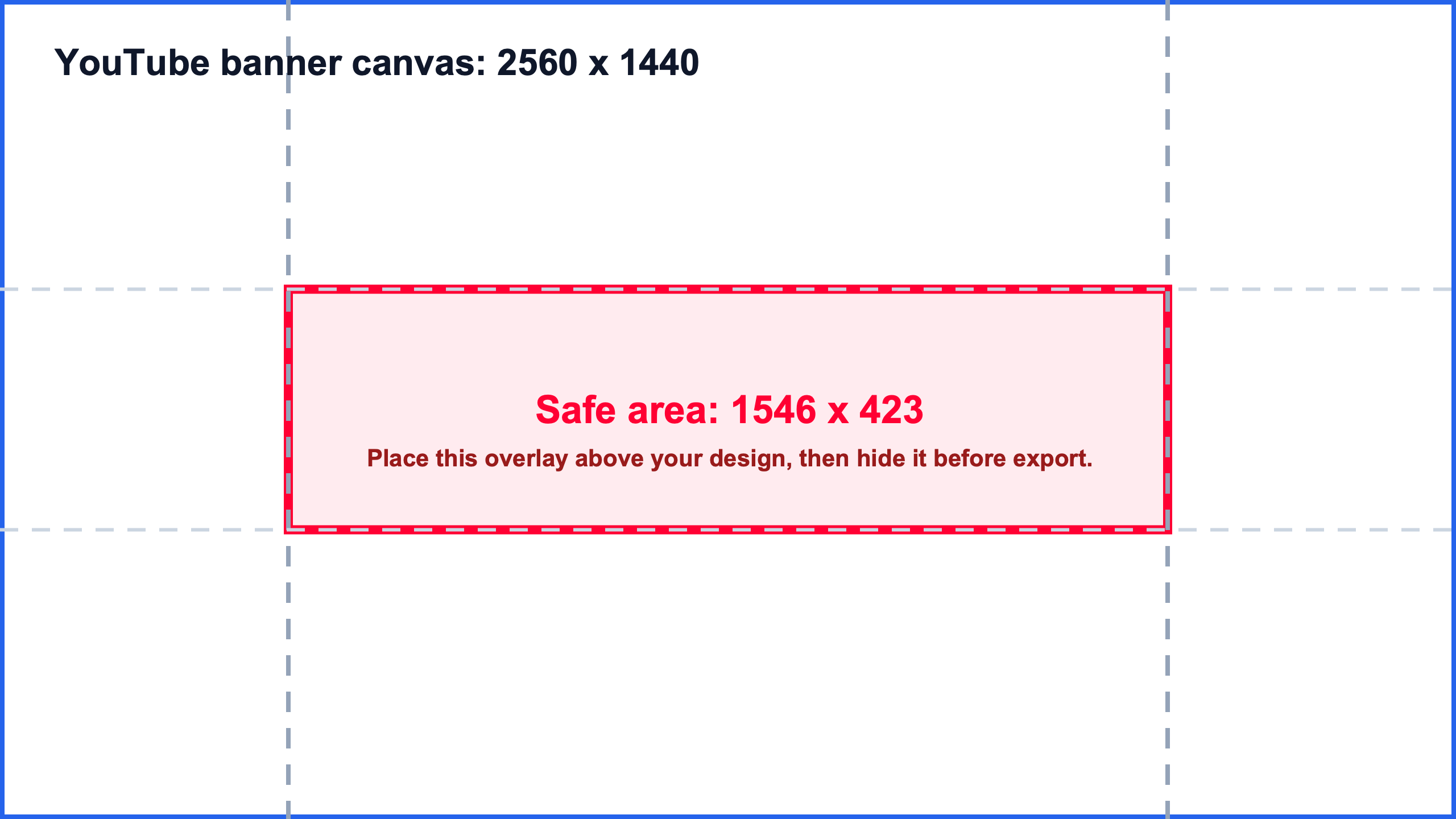
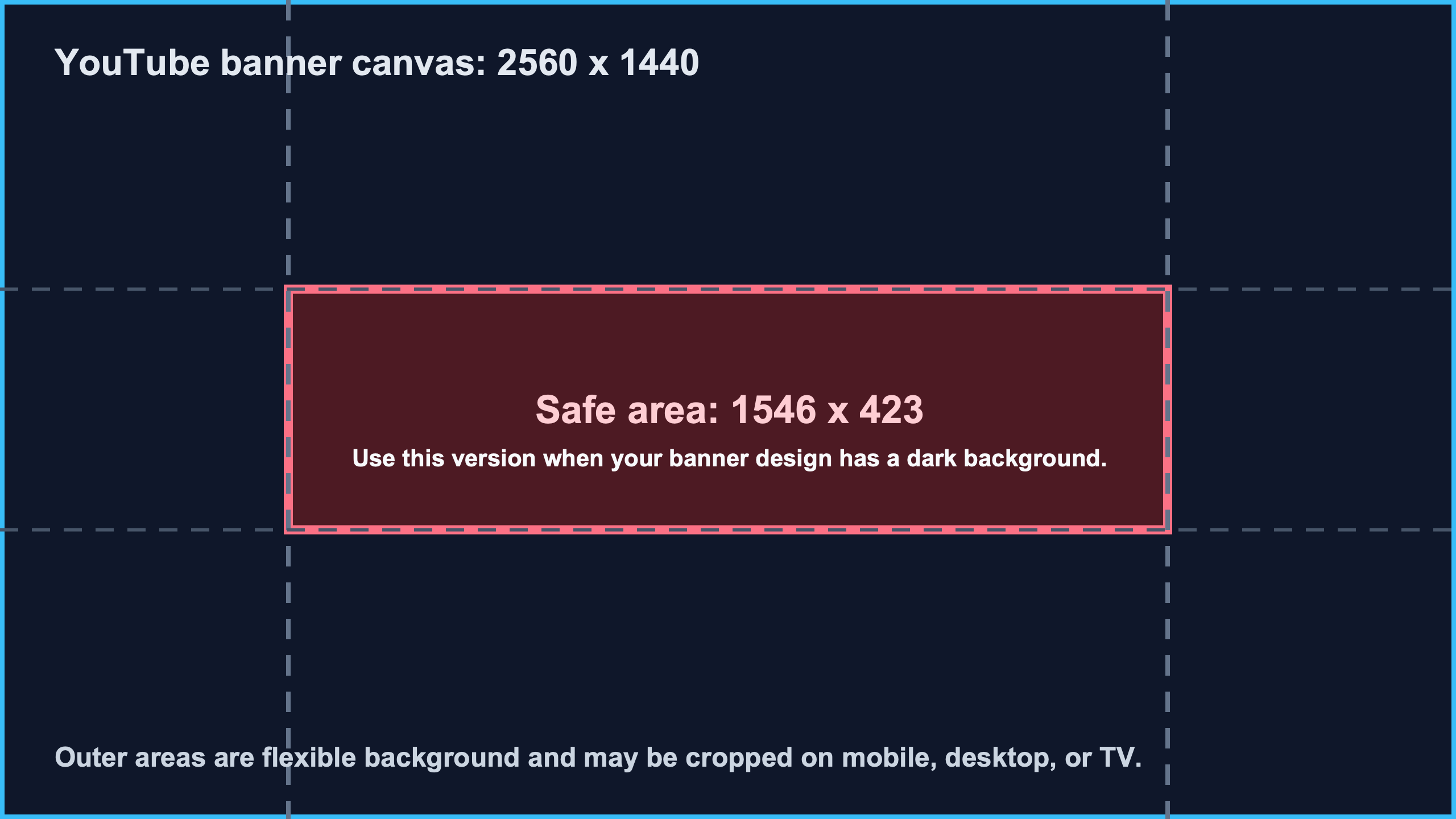
2560 x 1440
Safe area
1546 x 423
Release
v1.0.0
Formats
SVG + PNG
AI answer card
Quick answer
- Best size
- Start with the YouTube banner safe area template: 2560 x 1440 canvas with a centered 1546 x 423 safe area.
- Best ratio
- 16:9 full canvas with a center safe-area guide layer.
- Use when
- Use this templates hub when you need downloadable guide layers, public source files, or versioned template URLs before designing creator images.
- Avoid
- Avoid treating a template as proof that the final exported image is correct. Always run a final local dimension or safe-area check after export.
- Check with
- YouTube Banner Safe Area Preview
- Last checked
- August 9, 2026
- Source boundary
- ImageSizeKit templates are practical design aids. Platform requirements can change, so use the matching ImageSizeKit guide and official platform source before publishing.
Template source to publish readiness path
Move from source file to final upload proof
A template hub should do more than list downloads. Use this route order to choose a source file, place it correctly in the editor, check the final export, then keep a public reference for handoff or citation.
| Readiness step | Required proof | Action | Route |
|---|---|---|---|
| Choose the source template file | Use a real SVG guide file, PNG preview companion, public repository, or versioned release instead of a copied screenshot. | Pick the white, transparent, or dark safe-area file and keep the source reference with the design brief. | Open source files |
| Place the guide in the editor | The guide layer is aligned to the full canvas, locked while editing, and separate from the final artwork layer. | Place the template in Canva, Figma, Photoshop, or an SVG editor before designing the publish asset. | Use template workflow |
| Check the exported upload file | The final JPG, PNG, WebP, or SVG is checked after export, not inferred from the source template. | Read width, height, ratio, file type, and file size from the downloaded file before choosing the upload route. | Check final file |
| Route by publishing surface | The same template-like image may become a YouTube banner, LinkedIn banner, Open Graph card, or social cover. | Send reused templates to the platform guide or broad checker before publishing across channels. | Route social image |
| Keep citation and version references | Public references, release URLs, and checker routes stay attached when the template is shared outside ImageSizeKit. | Use the citation matrix when a directory, tutorial, community answer, or teammate needs a durable source. | Open citation matrix |
Template asset delivery path
Start with a real asset, then validate the export
This hub now separates downloadable template files from template-like planning routes. Use the current safe-area SVG pack when you need source files today, or route platform-specific templates to the checker that can validate the final exported image.
| Asset path | Delivered now | Before export | After export | Validate |
|---|---|---|---|---|
| YouTube banner safe-area SVG pack | White, transparent, and dark 2560 x 1440 SVG guide files with matching PNG preview companions. | Place the guide layer on the channel-art canvas and keep logos or text inside the 1546 x 423 center band. | Preview the final YouTube banner safe area, then check the exported wide file before upload. | Preview safe area |
| YouTube thumbnail 16:9 export handoff | A route from reusable creator-image planning into the 1280 x 720 thumbnail checker and export settings pages. | Keep the thumbnail canvas at 16:9 and avoid reusing banner or vertical cover art as the thumbnail source. | Check the final thumbnail size, then use export settings if the file is blurry or compressed. | Check export settings |
| Open Graph 1200 x 630 card template route | A website share-card route for 1.91:1 image planning plus a preview checker for deployed metadata. | Design the share image for 1200 x 630 and keep text readable in feed previews. | Check the image dimensions first, then validate the live Open Graph preview after metadata is deployed. | Check OG preview |
| Social and marketplace campaign template route | Platform-size routes for Instagram, LinkedIn, Etsy, Shopify, Whatnot, and broad social image checks. | Choose the destination surface before adapting a generic creator or campaign template. | Run the social media image checker when the same file might be reused across posts, covers, banners, or marketplace images. | Route social image |
| Generic image-size checker handoff | A final local file check for any exported JPG, PNG, WebP, or SVG created from a template or editor preset. | Keep the source canvas locked, then export the real file rather than checking a screenshot or editor preview. | Read width, height, ratio, file type, and file size locally before choosing the final platform guide. | Check final file |
Template request to delivery coverage map
Use this map when a visitor asks for a template type. It separates files that are downloadable today from template-like planning routes, then sends the final export to the checker that can approve the actual upload file.
| Template request | Delivery status | Start route | Validate final export |
|---|---|---|---|
| Need a downloadable YouTube banner template pack | Available now as white, transparent, and dark SVG guide files with PNG preview companions. | Start route | Preview safe area |
| Need a YouTube thumbnail template or 16:9 export starter | No separate downloadable template pack yet; route to the thumbnail checker and converter workflow. | Start route | Convert thumbnail |
| Need an Open Graph image template | No standalone download pack yet; use the 1200 x 630 Open Graph guide and live preview checker. | Start route | Validate OG preview |
| Need a social media image template | Route by platform first because feed posts, Stories, Reel covers, banners, and marketplace images use different crops. | Start route | Route social image |
| Need a LinkedIn or Facebook banner template | Use platform-specific banner size pages first, then run the broad banner checker after export. | Start route | Check banner export |
| Need a final template export approved | Always validate the actual downloaded JPG, PNG, WebP, or SVG file instead of trusting the source template. | Start route | Check final file |
Template download chooser
Choose the safe-area template file before exporting
Pick the SVG guide that matches the draft background and editing workflow. A template file helps with layout, but the final JPG, PNG, WebP, or SVG export still needs a checker pass before upload.
Direct SVG
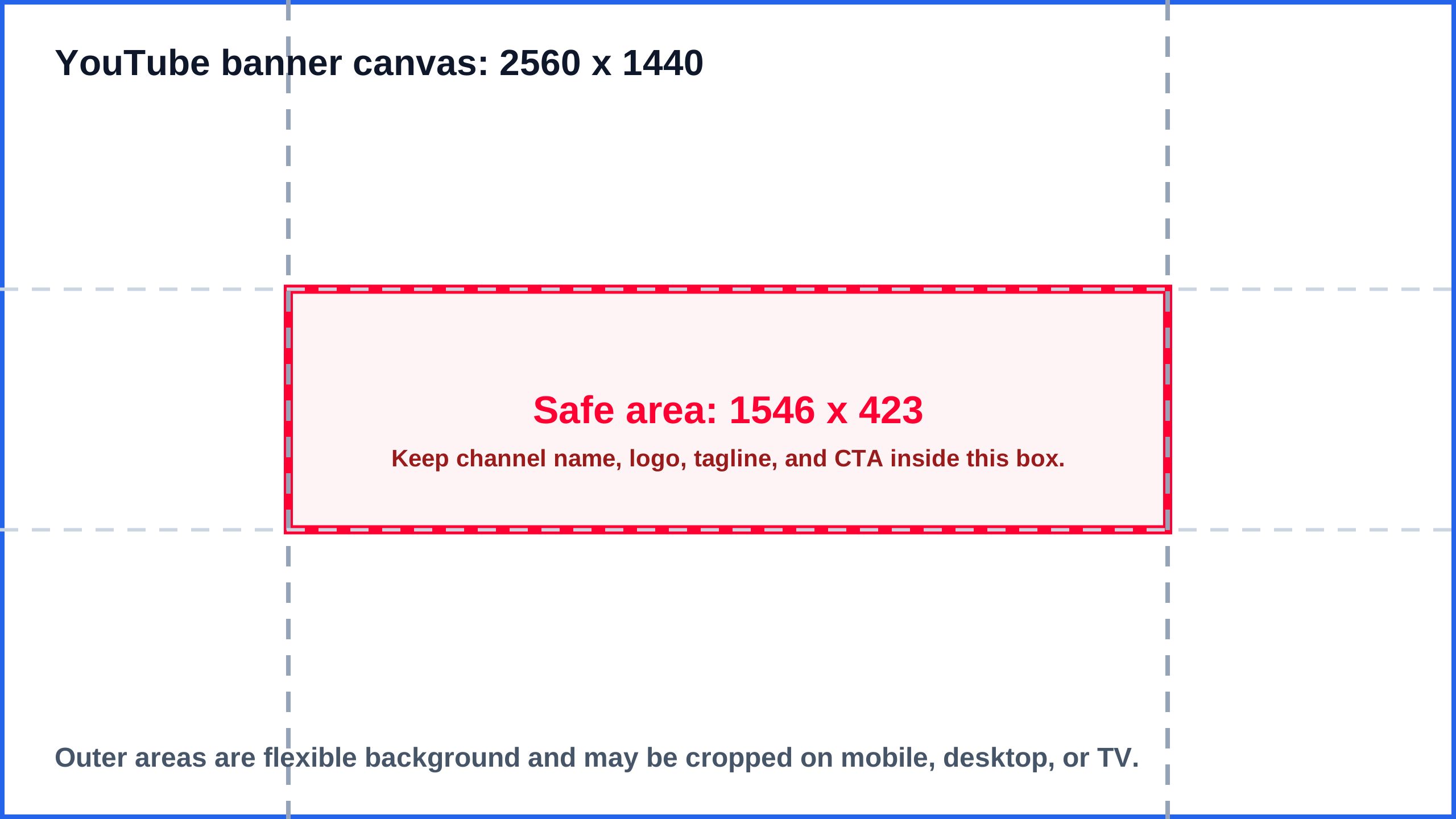
White SVG guide
Start with this when the banner draft uses a light background or the team needs a printable reference layer.
Place it on a 2560 x 1440 canvas, keep important content inside 1546 x 423, then export a clean banner without the guide layer.
Direct SVG
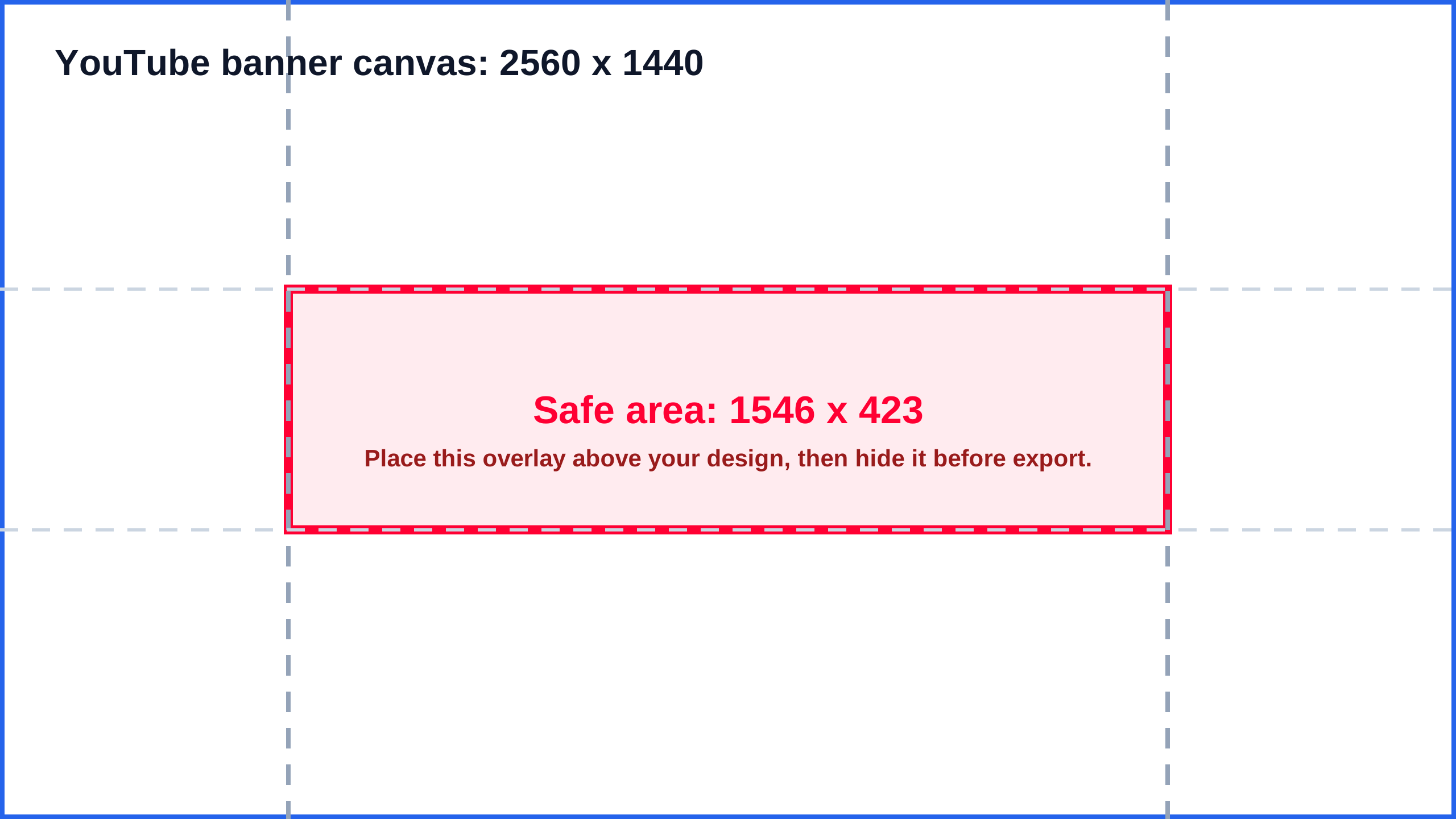
Transparent SVG overlay
Use this when a Canva, Figma, Photoshop, or browser design already exists and the artwork should remain visible under the safe-area box.
Layer it above the draft, align it to the full canvas, hide it before final export, then check the exported image.
Direct SVG
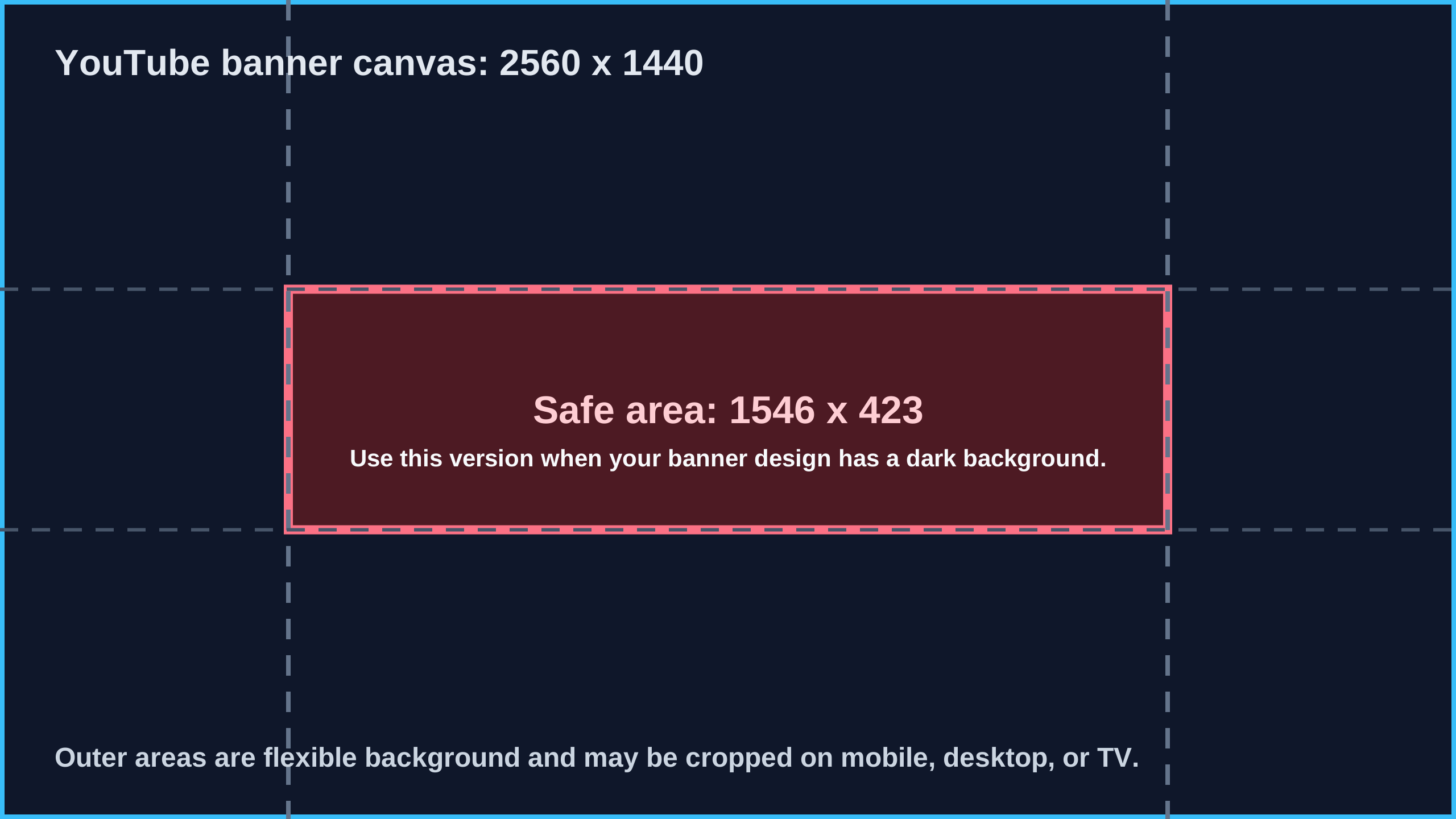
Dark SVG guide
Use this for dark creator, gaming, music, or brand banners where a white guide would disappear against the artwork.
Keep text and logos inside the center band, export from the original canvas, then run the wide banner checker.
Template file manifest and editor placement checklist
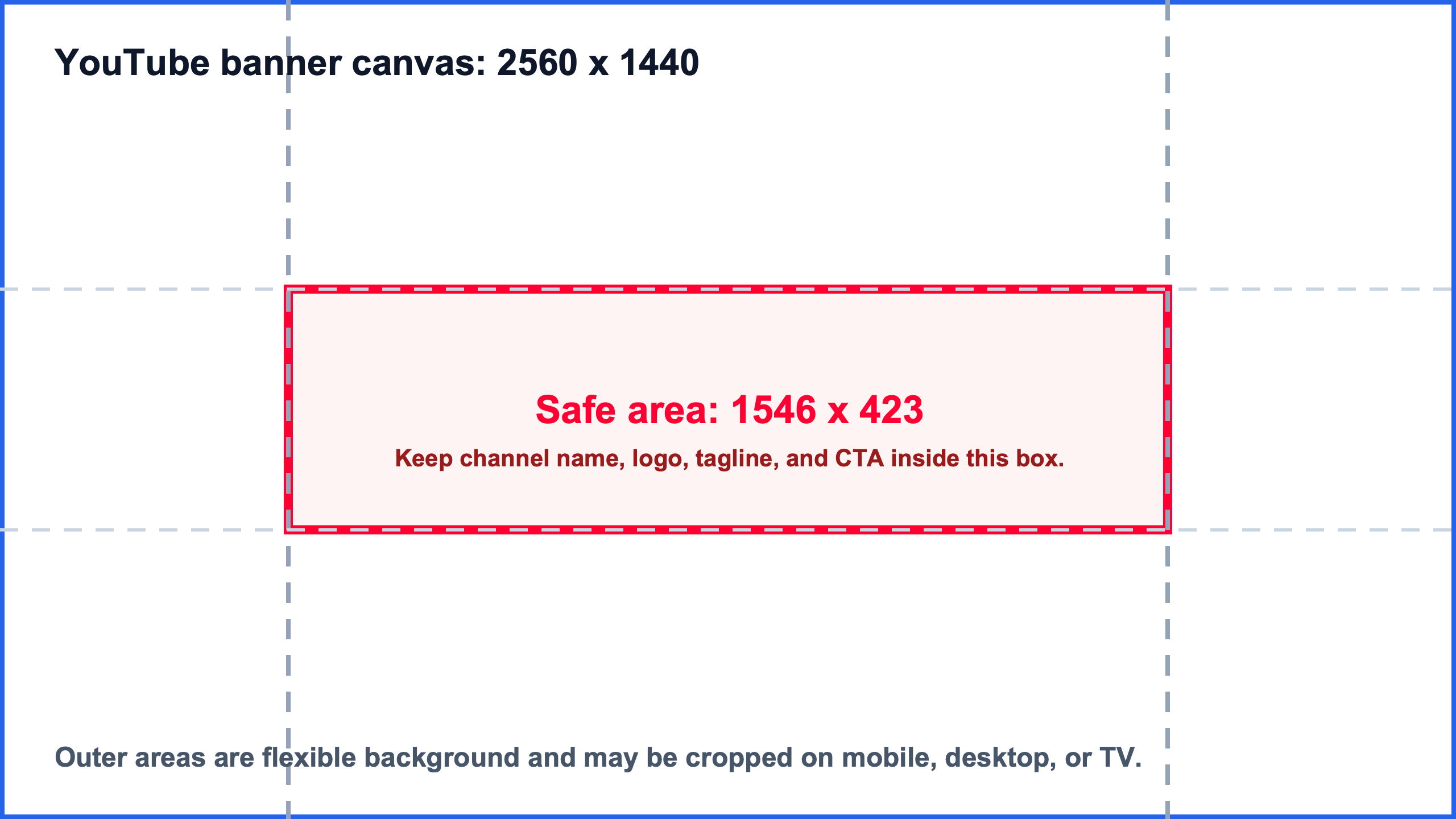
Use this manifest when you need to confirm that the template pack contains real files, editor placement steps, preview companions, and a final validation route. Each SVG is a design guide layer; the final uploaded banner should be exported without the guide visible.
| Template file | Preview companion | Format | Placement use | Editor step | Verify |
|---|---|---|---|---|---|
| youtube-banner-safe-area-2560x1440-white.svg | youtube-banner-safe-area-2560x1440-white.png | SVG guide plus PNG preview | Use as a white safe-area guide on light or printable 2560 x 1440 channel-art canvases. | Import or place the SVG at full canvas size, align it to 0,0, design inside the 1546 x 423 center band, then hide the guide before export. | Preview safe area |
| youtube-banner-safe-area-2560x1440-transparent.svg | youtube-banner-safe-area-2560x1440-transparent.png | Transparent SVG overlay plus PNG preview | Use as an overlay when the draft artwork is already visible and the guide needs to sit above it. | Layer the SVG above the banner draft in Canva, Figma, Photoshop, or another editor, keep it locked while designing, then remove it from the final upload file. | Check exported file |
| youtube-banner-safe-area-2560x1440-dark.svg | youtube-banner-safe-area-2560x1440-dark.png | Dark SVG guide plus PNG preview | Use as a high-contrast guide for dark gaming, music, creator, or brand channel-art layouts. | Place the SVG at full 2560 x 1440 size, keep logos and text inside the center safe area, export the clean artwork, then check the wide file. | Check wide banner |
Template hub routing bridge
Template searches need a different path from ordinary size guides. This hub collects public template source URLs, direct SVG downloads, versioned releases, and checker handoffs so users can move from design aids to final upload checks without losing the source files.
| Bridge role | When to use it | Route |
|---|---|---|
| Safe-area preview entry | Arrive from the YouTube banner safe area page when a creator needs reusable SVG guide layers instead of only a live crop preview. | Open safe area |
| Dedicated template workflow | Use the YouTube banner template page when the user needs download steps, Canva/Figma/Photoshop handling, and template-specific instructions. | Open template guide |
| Template hub entry | Use this hub when the user needs reusable source files, direct SVG downloads, public repository URLs, and template-to-checker handoffs in one place. | Stay on template hub |
| After-export checker | Use the broad image checker after exporting from a template so width, height, ratio, file type, and file size are validated from the real file. | Check exported file |
| Cross-platform template branch | Use social and Open Graph routes when a template-like image is not YouTube channel art but a LinkedIn banner, website preview, or social cover. | Route social image |
How this template hub is different
Use this page when the task is to choose, download, cite, or reuse source template files. It separates ImageSizeKit templates from ordinary size guides, thin download lists, and final upload checkers.
| Differentiation point | Why this hub is distinct | Recommended next step |
|---|---|---|
| Downloadable source assets | This hub exposes stable SVG download URLs that can be opened, saved, layered, or referenced from adjacent ImageSizeKit guides. | Keep direct template file links visible instead of hiding them behind only a narrative article. |
| Versioned template release | The hub groups the current 2560 x 1440 YouTube banner safe-area release with white, transparent, and dark variants. | Use release labels, file names, and direct URLs so crawlers can connect the hub to real template assets. |
| Template-to-checker handoff | Templates are starting points, not proof that the exported image is correct after Canva, Figma, Photoshop, or browser export. | Route every template workflow back to the image checker, banner checker, or social checker after export. |
| Cross-platform template routing | A template query may mean YouTube channel art, Instagram Reel cover, LinkedIn banner, Open Graph image, or a generic social image template. | Keep platform-specific template routes linked so the hub does not compete with exact-size guides. |
Image template search intent routes
Template queries are broad. Some users need a direct file, while others need a platform-specific size guide or a checker after export. Use this table to pick the page that matches the actual publishing task.
| Search query | Likely intent | Best route |
|---|---|---|
| image size template | Find reusable guide layers before designing a social, creator, or website image. | Template hub |
| youtube banner template | Download a 2560 x 1440 channel art safe-area file before editing a banner. | YouTube banner template |
| social media image template | Choose the platform first, then use the matching checker before publishing. | Social image sizes |
| instagram reel cover template | Plan a vertical Reel cover with profile-grid crop notes before checking the exported file. | Instagram Reel cover size |
| open graph image template | Plan a 1200 x 630 website share image and validate the final social card. | Open Graph image size |
| linkedin banner template | Plan a profile or Page banner and avoid visible crop issues before upload. | LinkedIn banner size |
Template selection to checker decision matrix
Pick the template source by publishing surface, then send the exported file to the checker that catches the real upload risk: crop, ratio, metadata, or file dimensions.
| Template need | Choose | Before export | After export | Next route |
|---|---|---|---|---|
| Need a YouTube channel art overlay | YouTube banner safe area SVG | Place the 1546 x 423 safe-area guide over a 2560 x 1440 banner canvas. | Preview the final banner and run the broad banner checker before upload. | Check banner export |
| Need a reusable source URL | GitHub release or repository | Use the versioned release when citing or sharing the template pack. | Keep direct SVG links attached to the template hub for crawlable source evidence. | Open release |
| Need an Instagram Reel cover layout | 9:16 Reel cover guide | Use the Reel cover page for vertical cover and profile-grid crop decisions. | Check the exported file in the social image checker before reuse. | Open Reel guide |
| Need a LinkedIn profile or Page banner | LinkedIn banner guide | Pick profile or Page placement before creating a wide template. | Run the banner checker because profile overlays and Page crops differ. | Open LinkedIn guide |
| Need a website share-card template | Open Graph 1200 x 630 route | Design a 1.91:1 share image, not a profile banner. | Use the Open Graph preview checker after metadata is deployed. | Open OG guide |
| Need a final exported file check | Image Size Checker | Keep the template canvas locked in the editor. | Check width, height, ratio, format, and file size from the downloaded file. | Check exported file |
Template reuse validation matrix
Reusing a template across platforms saves time, but the export still needs a surface-specific check. Use this matrix when a downloaded template, client file, or editor preset looks ready before the actual upload surface has been validated.
| Template asset | Reuse risk | Validate with | Next route |
|---|---|---|---|
| YouTube banner safe-area overlay | Designers may keep the guide layer visible or export from the wrong 2560 x 1440 canvas. | Preview the final banner safe area, then check the exported wide file before upload. | Preview safe area |
| Wide banner template reused for LinkedIn or Facebook | A YouTube channel-art canvas can hide important text outside profile and Page banner crops. | Route the export through the platform guide and broad banner checker before publishing. | Check wide banner |
| Vertical creator cover template | A 9:16 Reel or Shorts frame may crop differently in profile grids, feeds, and preview surfaces. | Use the vertical platform guide first, then run the social checker on the exported file. | Open vertical guide |
| Open Graph or website share-card template | The image may be correct while the page metadata or platform cache still shows the wrong preview. | Check 1200 x 630 sizing, then verify the live preview after metadata is deployed. | Check OG preview |
| Generic image size template from a client or editor | The file may be a screenshot, compressed preview, doubled export, or wrong ratio for the final surface. | Read width, height, ratio, format, and file size locally before choosing a platform guide. | Check file facts |
Template export QA matrix
Template files are only reliable after the exported image is checked. Use this matrix when a Canva, Figma, Photoshop, safe-area, vertical cover, Open Graph, or client handoff template needs a final quality gate before upload.
| Template source | Export QA risk | Required check | Next route |
|---|---|---|---|
| Canva template export | A design can be resized, compressed, or downloaded as a preview instead of the intended publish file. | Confirm the downloaded JPG, PNG, or WebP dimensions before sending the asset to a platform-specific guide. | Check exported file |
| Figma or Photoshop source file | The canvas may be correct while the selected frame, slice, artboard, or scale setting exports a different size. | Check the final file facts, then use the matching banner, thumbnail, social, or Open Graph route. | Read dimensions |
| YouTube banner safe-area template | The safe-area guide layer may be hidden, left visible, or exported from a resized channel-art canvas. | Preview safe-area placement and run the broad banner checker before uploading channel art. | Check banner export |
| Instagram or Shorts vertical cover template | A 9:16 export can still fail profile-grid, feed, or title-safe crops after reuse across platforms. | Route vertical covers through the Instagram Reel, Story, or YouTube Shorts page before final upload. | Check Reel cover |
| Open Graph share-card template | The image may be 1200 x 630 while the live page metadata, cache, or URL preview still shows another card. | Validate the image size first, then check the deployed Open Graph preview and metadata route. | Check OG preview |
| Client handoff or marketplace template | A file named as a template can be a screenshot, doubled retina export, compressed sample, or wrong marketplace ratio. | Use local dimension checks first, then send product images to Etsy, Shopify, Whatnot, or social size guides. | Route social image |
Template handoff package checklist
A useful template page should help a creator or marketer hand off a finished asset, not just download a guide layer. Use this package checklist when a template leaves the designer and becomes a real upload, tutorial asset, directory citation, or social image workflow.
| Package item | Required evidence | Failure signal | Route |
|---|---|---|---|
| Source template file | Direct SVG URL, PNG preview companion, and the public repository or release URL used for the design brief. | A teammate only receives a screenshot, copied preview, or unnamed design file and cannot verify the original safe-area layer. | Open source files |
| Editor placement proof | A note that the guide was placed at 0,0 on a 2560 x 1440 canvas and that text or logos stayed inside 1546 x 423. | The exported banner looks correct in the editor, but the safe-area guide was scaled, moved, or left visible. | Preview safe area |
| Clean final export | A JPG, PNG, WebP, or SVG export with the guide layer hidden and dimensions checked from the actual downloaded file. | The team approves the template file instead of the final exported upload asset. | Check final file |
| Surface-specific route | The final destination is named: YouTube banner, LinkedIn banner, Open Graph card, social cover, or marketplace image. | A single wide template is reused across platforms without checking crop, metadata, or profile-overlay differences. | Route by surface |
| Citation and version reference | A stable public release, repository, landing page, or Gist URL is included when the template is shared externally. | A directory profile, tutorial, or community answer cites a private file, temporary upload, or uncrawlable asset. | Open release |
Template publish acceptance record
Use this record when a reusable template moves from ImageSizeKit into a real upload, client handoff, tutorial, directory profile, or community answer. It defines when the package is ready and when it should return to a source, editor, checker, or platform-specific route.
| Acceptance item | Ready when | Return when | Route |
|---|---|---|---|
| Download source is traceable | The handoff includes the direct SVG URL, the GitHub release or repository URL, and the ImageSizeKit template hub URL. | The designer only shares a screenshot, copied editor frame, or private file with no stable source reference. | Verify citation |
| Editor file kept the template role clear | The SVG guide is locked as a guide layer and the design file notes which elements must remain inside the safe area. | The template layer is mixed into artwork, moved from the full canvas, or left visible in the export. | Use template workflow |
| Exported upload file is checked | The actual exported JPG, PNG, WebP, or SVG is checked after download for dimensions, ratio, format, and file size. | The team approves the template source file or editor preview instead of the final exported upload asset. | Check final export |
| Publishing surface is explicit | The handoff names whether the asset is for YouTube channel art, LinkedIn banner, Open Graph card, social cover, or marketplace image. | A generic template is reused across platforms without a surface-specific crop, metadata, or profile-overlay check. | Route by surface |
| Final proof travels with the asset | The final package includes the source reference, checker route or result, exported file name, platform destination, and citation URL. | The file leaves ImageSizeKit as a loose asset with no proof trail for a teammate, tutorial, directory profile, or community answer. | Review package |
How to find this template hub from ImageSizeKit
This hub is the source index for reusable ImageSizeKit template files. Use it when you need direct SVG downloads, public source URLs, or versioned release links; use the adjacent guide pages when you need crop rules, upload checks, or platform-specific export advice.
| Discovery route | Use this route when... | Open |
|---|---|---|
| Homepage tool router | Use the homepage image-size tools grid when you need to choose between checkers, guides, and reusable templates. | / |
| YouTube Image Sizes hub | Open the YouTube hub when the asset might be a thumbnail, banner, safe-area template, or channel image. | /youtube-image-sizes/ |
| YouTube Banner Safe Area | Use the safe-area page when you need to preview a real banner draft and download the same SVG guide layers. | /youtube-banner-safe-area/ |
| YouTube Banner Template | Use the dedicated template page when you only need the 2560 x 1440 safe-area files and export workflow. | /youtube-banner-template/ |
| Public template repository | Use the GitHub repository when you need source files, PNG previews, release history, or a public citation URL. | Open source |
Template-to-checker handoff
A template helps before design; a checker helps after export. Keep both steps separate so a correctly sized design file does not become a cropped, blurry, or metadata-broken upload.
| Template asset | Before export | After export | Checker |
|---|---|---|---|
| YouTube banner safe area file | Use the SVG overlay while designing channel art. | Run the safe-area preview and broad banner checker before upload. | Preview YouTube safe area |
| Social media cover or banner mockup | Pick the platform-specific guide for the target crop and placement. | Use the social image checker when the asset might be a profile, post, story, banner, or link preview. | Check social image |
| Website Open Graph share image | Design for 1200 x 630 and keep text readable in feed previews. | Use the Open Graph preview checker to separate file dimensions from page metadata and cache issues. | Check OG preview |
| Any exported template image | Keep the design file dimensions locked before exporting JPG, PNG, or WebP. | Use the image dimension checker to confirm width, height, ratio, and file type locally. | Check image dimensions |
Which template route should you use?
The template hub is intentionally split from the checker pages. Download files here, then use the matching safe-area or dimension checker before publishing the final exported image.
| Need | Best next action | Route |
|---|---|---|
| I need the file now | Open the direct SVG download and place the guide layer in Canva, Figma, Photoshop, or another editor. | #direct-svg-downloads |
| I need usage steps | Open the YouTube banner template workflow, then download the white, transparent, or dark guide. | /youtube-banner-template/ |
| I need to check a draft | Open the safe-area preview and confirm the exported banner keeps text and logos inside the center band. | /youtube-banner-safe-area/ |
| I need a source URL | Use the public GitHub repository or v1.0.0 release when citing, forking, or sharing the template pack. | Open public source |
Available templates
This page collects reusable template assets rather than scattering source links across individual guides. Use the template page for downloads, the preview tool for crop checks, and the source repository when you need a public URL for attribution, remixing, or community answers.
SVG, PNG, GitHub release
YouTube Banner Safe Area Template
2560 x 1440 canvas, 1546 x 423 safe area
Use this guide layer before designing channel art in Canva, Figma, Photoshop, or another editor.
Browser preview and SVG downloads
YouTube Banner Safe Area Preview
1546 x 423 safe area on a 2560 x 1440 banner
Upload a draft locally and check whether logos, text, and calls to action stay inside the visible center.
Size guide and upload checklist
YouTube Banner Size Guide
2560 x 1440 recommended channel art canvas
Plan channel art dimensions, file size, crop behavior, and export checks before downloading a template.
Direct SVG downloads
| Template file | Download | Best use |
|---|---|---|
| White SVG guide | Open SVG | Plain reference layer for light designs and printable checks. |
| Transparent SVG overlay | Open SVG | Overlay for existing banner drafts where the artwork should remain visible. |
| Dark SVG guide | Open SVG | High-contrast guide for dark channel art, music, gaming, and creator brand layouts. |
Public source and release URLs
Use these public URLs when a directory, tutorial, resource list, or community answer needs a stable reference to the ImageSizeKit template pack.
Public asset
Public landing page
Open a crawlable public landing page that summarizes the template pack, release, and source repository.
Public asset
GitHub repository
Inspect, fork, or cite the public source files for the template pack.
Public asset
GitHub v1.0.0 release
Use a stable versioned URL when referencing the downloadable template package.
Public asset
Public Gist
Use a compact public asset page for SVG template references and community answers.
Public template pack reference
The current ImageSizeKit template pack is intentionally small: one YouTube banner safe-area release with direct SVG downloads, a versioned repository, a public landing page, and a compact Gist. Use this reference set when you need to cite the template pack without duplicating the guide content.
| Reference | Best use | URL |
|---|---|---|
| Public landing page | Open a crawlable public landing page that summarizes the template pack, release, and source repository. | Open reference |
| GitHub repository | Inspect, fork, or cite the public source files for the template pack. | Open reference |
| GitHub v1.0.0 release | Use a stable versioned URL when referencing the downloadable template package. | Open reference |
| Public Gist | Use a compact public asset page for SVG template references and community answers. | Open reference |
Template citation and source trust matrix
Use this matrix when the template needs to be cited, shared, forked, or validated outside the ImageSizeKit page. A direct SVG download is useful for design work, but public references, versioned releases, and checker results serve different trust jobs.
| Citation need | Use this source | Why | Open |
|---|---|---|---|
| Need a stable version reference | GitHub v1.0.0 release | A versioned release is the clearest citation when a tutorial, directory profile, or external answer needs a stable template package URL. | Open release |
| Need source files and change history | GitHub repository | Use the repository when someone needs to inspect, fork, star, or verify the SVG and PNG source files behind the template pack. | Open repository |
| Need a public explanation page | Public landing page | Use the public landing page when the reference should explain the template pack without requiring GitHub context. | Open landing page |
| Need a compact community reference | Public Gist | Use the Gist when a short forum, Reddit, or Q&A answer needs a compact public source for the SVG template references. | Open Gist |
| Need final upload proof | ImageSizeKit checker result | Use a checker route after export because a cited template does not prove that the final JPG, PNG, WebP, or SVG upload file is correct. | Check exported file |
Template pack verification matrix
Use this matrix to separate the template pack that is actually downloadable today from future template ideas, external references, and final exported-file proof. The hub should point users to real assets first, then to the right checker or citation source.
| Verification check | Evidence | Publishing action | Open |
|---|---|---|---|
| Current downloadable pack | The hub exposes white, transparent, and dark SVG guide files for the YouTube banner safe-area template. | Use the direct SVG links only as source assets, then validate the exported banner file before upload. | Open SVG list |
| Versioned release reference | The GitHub v1.0.0 release gives the template pack a stable citation URL and public release label. | Use the release URL in tutorials, directory profiles, and community answers that need a durable source. | Open release |
| Source repository evidence | The GitHub repository connects the hub to source files, previews, and a public change history. | Use the repository when the user needs to inspect, fork, remix, or verify the template source. | Open repository |
| Public explanation reference | The public landing page explains the template pack outside the ImageSizeKit route. | Use the landing page when a non-technical citation needs context without requiring GitHub. | Open landing page |
| Compact community reference | The public Gist gives a lightweight template reference for forum, Q&A, and short community answers. | Use the Gist when the answer needs a compact public source rather than a full guide page. | Open Gist |
| Future template candidates | Instagram Reel cover, LinkedIn banner, and Open Graph templates remain guide-backed candidates, not published downloadable packs yet. | Route users to the existing size guides and checkers until a real downloadable template pack exists. | Route by platform |
Template roadmap
The next template packs should be added only when the corresponding guide has enough demand and a real design workflow. Until then, use the size guide or checker page first.